
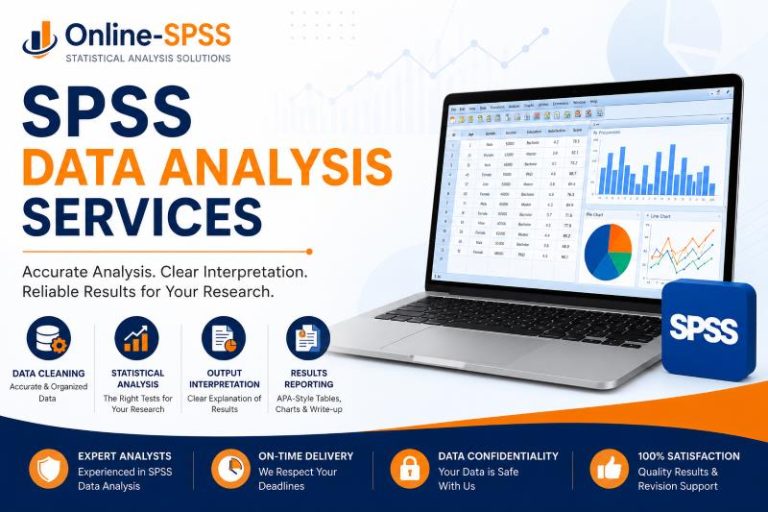
SPSS Data Analysis Services That Start With Your Research Questions
Good SPSS analysis does not begin by randomly choosing a test. It begins with the question you want to answer.
For example, you may want to know whether two groups are different, whether two variables are related, whether a set of predictors explains an outcome, or whether a questionnaire scale is reliable. Each of these goals requires a different analysis approach.
That is why we first look at:
- Your research questions
- Your hypotheses
- Your dependent and independent variables
- Your measurement levels
- Your study design
- Your sample size
- Your supervisor’s or instructor’s instructions
- Your required reporting style
This step matters because using the wrong test can lead to weak results, confusing interpretation, or supervisor comments that require major revision. A t-test, ANOVA, chi-square test, correlation, regression, or non-parametric test may all seem possible at first, but only one may properly answer your research question.
Our service is designed for clients who specifically need data analysis using SPSS. If you need wider support across several statistical tools, you may also find our data analysis help page useful.
What Our SPSS Data Analysis Services Include
Every project is different. Some clients only need SPSS output interpretation. Others need full support from data cleaning to results reporting. We can support small tasks, full research projects, and complex analysis requirements.
Below are the main areas our SPSS analysis service covers.
1. SPSS Data Cleaning and Preparation
Before any meaningful analysis can happen, your data must be clean and organized. Many SPSS errors come from poorly coded variables, missing values, incorrect labels, duplicate cases, or inconsistent responses.
We can help prepare your dataset by checking:
- Missing values
- Duplicate responses
- Incorrect variable types
- Coding errors
- Value labels
- Variable labels
- Outliers
- Reverse-coded items
- Composite scale scores
- Grouping variables
- Data entry errors
For example, if your questionnaire has several Likert-scale items measuring one construct, we can help check whether the items should be combined into a scale score. If some items are negatively worded, we can reverse-code them before computing the final score.
Clean data makes the analysis stronger. It also makes your output easier to explain.
2. Descriptive Statistics and Data Summaries
Descriptive statistics help you understand what your data looks like before testing hypotheses. They are often required in dissertations, theses, research papers, reports, and SPSS assignments.
We can produce clear descriptive summaries such as:
- Frequencies and percentages
- Means and standard deviations
- Medians and interquartile ranges
- Minimum and maximum values
- Cross-tabulations
- Demographic summaries
- Tables and charts
For survey projects, we can summarize participant characteristics such as gender, age group, education level, income category, occupation, or study group. For scale variables, we can report the mean, standard deviation, and range.
We can also help decide whether a table, chart, or written summary is the best way to present each result.
3. Assumption Testing Before SPSS Analysis
Many statistical tests have assumptions. These are conditions your data should meet before the test results can be trusted. Unfortunately, many clients only discover this after a supervisor asks for assumption testing.
We can help check assumptions such as:
- Normality
- Homogeneity of variance
- Linearity
- Multicollinearity
- Independence of observations
- Outliers
- Reliability of scales
- Adequacy for factor analysis
For example, before running an independent samples t-test, we may check normality and equality of variances. Before running multiple regression, we may check linearity, multicollinearity, residual normality, and outliers.
When assumptions are not met, we can suggest a better approach. This may include a non-parametric test, transformation, robust interpretation, or a different statistical method.
4. Statistical Testing in SPSS
We help with a wide range of statistical tests in SPSS. The analysis depends on your research questions, variables, and study design.
Common SPSS analyses we handle include:
- One-sample t-test
- Independent samples t-test
- Paired samples t-test
- One-way ANOVA
- Two-way ANOVA
- ANCOVA
- MANOVA
- Chi-square test of independence
- Chi-square goodness-of-fit test
- Pearson correlation
- Spearman correlation
- Simple linear regression
- Multiple regression
- Logistic regression
- Reliability analysis
- Cronbach’s alpha
- Exploratory factor analysis
- Principal component analysis
- Mann-Whitney U test
- Wilcoxon signed-rank test
- Kruskal-Wallis test
- Friedman test
We do not simply run every test available in SPSS. We select the tests that match your research aim. This makes the analysis easier to defend and easier to explain.
5. SPSS Output Interpretation
SPSS output can be difficult to read if you are not used to statistical tables. The software gives you many numbers, but it does not explain what they mean for your project.
We can help you understand:
- Which table contains the key result
- Whether the result is statistically significant
- What the p-value means
- What the test statistic means
- How to interpret effect size
- How to explain coefficients
- Whether to reject or fail to reject the null hypothesis
- How the result answers your research question
For example, if you run a regression analysis, we can explain the model summary, ANOVA table, coefficients table, R-squared, p-values, beta coefficients, and direction of relationships.
This is useful if you already have SPSS output but feel stuck with interpretation.
6. SPSS Results Reporting
Running the analysis is only part of the work. You also need to present the results clearly.
At Online-SPSS, we can help prepare results in a format that fits your instructions. This may include:
- APA-style results paragraphs
- Statistical tables
- Figures and charts
- Hypothesis-by-hypothesis reporting
- Research-question-by-research-question reporting
- Assumption test summaries
- Written interpretation of findings
- Explanation of statistical decisions
If your institution requires APA style, we can help report results using the correct statistical language. For example, we can report t-tests, ANOVA, chi-square, correlations, and regression results in clear academic paragraphs.
However, if your project is a full dissertation and you need broader support beyond SPSS analysis, visit our dissertation data analysis help page for more details.
Who Our SPSS Analysis Services Are For
Our SPSS data analysis service is suitable for anyone who needs accurate analysis, clear interpretation, and well-presented results using SPSS.
Students Working on SPSS Assignments or Coursework
If you are taking a statistics, psychology, nursing, business, education, sociology, public health, or research methods course, you may be asked to analyze data in SPSS.
We can help with SPSS assignments that involve:
- Descriptive statistics
- Hypothesis testing
- t-tests
- ANOVA
- Chi-square tests
- Correlation
- Regression
- SPSS output interpretation
- APA-style reporting
If your task is mainly an assignment or homework task, our SPSS assignment help page may be the better fit.
Thesis and Dissertation Students
Many thesis and dissertation projects require SPSS analysis. You may already have collected data, but need help turning it into results that match your research questions.
We can help with:
- Cleaning thesis or dissertation data
- Coding questionnaire responses
- Testing hypotheses
- Running descriptive and inferential statistics
- Interpreting SPSS output
- Preparing results tables
- Writing clear results explanations
If your project is specifically a dissertation, you may need more complete support through our dissertation data analysis services. However, if your dissertation requires SPSS, visit our SPSS dissertation help page to learn how we can help you.
For master’s and undergraduate thesis projects, you can also review our thesis data analysis help services.
Researchers and Academic Writers
Researchers often need SPSS analysis for journal articles, conference papers, research reports, and academic manuscripts. In these projects, the analysis must be accurate, concise, and easy for readers to understand.
We can help with:
- Survey data analysis
- Hypothesis testing
- Scale reliability
- Group comparisons
- Relationship testing
- Regression models
- Tables and figures
- Results interpretation
If you already have a draft manuscript, we can help align the statistical results with the research questions and methods section.
Professionals and Business Analysts
SPSS is also useful outside academic work. Businesses, healthcare organizations, NGOs, and education institutions often collect data but need help making sense of it.
We can help analyze data from:
- Customer surveys
- Employee surveys
- Training evaluations
- Healthcare assessments
- Education studies
- Program evaluation surveys
- Market research questionnaires
The goal is to produce clear results that decision-makers can understand. We can summarize key patterns, test relationships, compare groups, and present findings in simple language.
Common SPSS Projects We Handle
SPSS can be used for many types of quantitative data analysis. Below are common projects we support.
Survey Data Analysis in SPSS
Survey data often includes demographic questions, Likert-scale items, multiple-choice responses, and open-coded categories. We can help clean the dataset, code responses, summarize findings, and run the correct statistical tests.
Questionnaire Data Coding and Analysis
If your questionnaire data is still in Excel, Google Forms, Qualtrics, or another format, we can help prepare it for SPSS. This may include coding responses, labeling variables, handling missing data, and creating scale scores.
Likert Scale Analysis
Many research projects use Likert-scale questions. We can help decide whether to analyze individual items, combine items into scales, test reliability, or use non-parametric methods where needed.
Regression Analysis in SPSS
Regression is useful when you want to examine whether one or more predictors explain an outcome variable. We can help with simple linear regression, multiple regression, and logistic regression.
ANOVA and Group Comparison Analysis
If your study compares two or more groups, we can help determine whether a t-test, ANOVA, ANCOVA, MANOVA, or non-parametric test is appropriate.
Chi-Square and Categorical Data Analysis
Chi-square tests are useful when both variables are categorical. We can help with cross-tabulations, chi-square tests of independence, goodness-of-fit tests, and interpretation of categorical relationships.
Correlation Analysis
Correlation helps test the relationship between two continuous or ordinal variables. We can help choose between Pearson and Spearman correlation based on your data.
Reliability Analysis
If your questionnaire measures constructs using several items, reliability analysis may be needed. We can help calculate and interpret Cronbach’s alpha and advise whether items should be combined.
Factor Analysis and PCA
For studies involving several questionnaire items, factor analysis or principal component analysis may be useful. We can help assess suitability, extract factors, interpret loadings, and present results clearly.
Pretest-Posttest Analysis
If your study measures participants before and after an intervention, we can help choose the correct analysis. This may include paired samples t-tests, repeated measures ANOVA, Wilcoxon signed-rank tests, or mixed designs.
What You Receive From Our SPSS Data Analysis Service
A good SPSS service should not leave you with unexplained output. You should understand what was done, why it was done, and what the results mean.
Depending on your project, you may receive:
- A cleaned SPSS dataset
- A coded and labeled SPSS file
- SPSS output file
- Descriptive statistics
- Assumption test results
- Inferential statistics
- Tables and charts
- APA-style results, if required
- Written interpretation
- Explanation of statistical methods used
- Hypothesis-by-hypothesis findings
- Research-question-by-research-question findings
- Recommendations for reporting
- Support with reasonable revision comments
The exact deliverables depend on your order instructions. If you only need output interpretation, we can focus on that. However, if you need full SPSS analysis and reporting, we can prepare a more complete results package.
Our goal is to give you results that are not only statistically correct but also easy to understand.
Our SPSS Data Analysis Process
We use a clear process so your project is handled carefully from the beginning.
Step 1: Send Your Project Details
Start by sending your dataset and instructions. You can upload files such as:
- Excel dataset
- SPSS
.savfile - CSV file
- Questionnaire
- Research questions
- Hypotheses
- Methodology chapter
- Rubric
- Supervisor comments
- Existing SPSS output
- Required reporting format
- Deadline
The more details you provide, the easier it is to match the analysis to your project.
Step 2: We Review the Data and Requirements
We review your files to understand what you need. This includes checking the type of data you have, the variables involved, the analysis requested, and the final deliverables.
At this stage, we may identify issues such as missing demographic data, unclear coding, incomplete responses, or a mismatch between the research questions and available variables.
If anything is unclear, we may ask for clarification before proceeding. This helps avoid wrong analysis and unnecessary revisions.
Step 3: We Clean and Prepare the SPSS File
If your data needs preparation, we clean and organize it before analysis. This may include coding variables, labeling values, checking missing data, creating scale scores, reverse-coding items, and preparing grouping variables.
This step is important because SPSS results depend on the quality of the dataset. A small coding mistake can change the results.
Step 4: We Run the Correct SPSS Analysis
Once the data is ready, we run the appropriate statistical tests. The selected tests depend on your research questions, hypotheses, data type, sample size, and assumptions.
We may run descriptive statistics first, followed by assumption tests and inferential analysis. Where required, we also include effect sizes, post hoc tests, or model diagnostics.
Step 5: We Interpret and Present the Results
After running the analysis, we interpret the output in clear language. We explain what the results mean, whether the findings are significant, and how they answer your research questions.
If requested, we also prepare tables, figures, and APA-style results paragraphs. This helps you move from raw SPSS output to a polished results section or report.
Step 6: You Review the Work
After delivery, you can review the results and compare them with your instructions. If your supervisor or instructor requests reasonable clarification or correction based on the original scope, we can help address the comments.
This makes the process less stressful, especially for academic projects where feedback is common.
Why Choose Online-SPSS for SPSS Data Analysis Services?
Choosing the right SPSS data analyst matters. Your results can affect your grade, dissertation chapter, research report, publication, or business decision.
Here is why clients choose Online-SPSS.
- We focus on your research questions first. We do not run tests blindly. We review your project aim, variables, and hypotheses before selecting the analysis.
- We provide SPSS-focused support. This page is for clients who specifically need SPSS analysis, not general software support.
- We explain the results clearly. SPSS output can be confusing. We help you understand what each important table means.
- We support both basic and advanced analysis. We can help with descriptive statistics, t-tests, ANOVA, chi-square, correlation, regression, reliability analysis, factor analysis, and more.
- We help with academic reporting. If your project requires APA-style results, we can help present findings in the correct format.
- We understand student and research projects. We regularly support assignments, theses, dissertations, surveys, research papers, and applied reports.
- We handle your data privately. Your files, instructions, and project details are treated with care and confidentiality.
Good SPSS support should make your results stronger, clearer, and easier to defend.
Examples of SPSS Analysis We Can Help With
Sometimes it is easier to understand the service through examples. Below are common situations where clients ask for SPSS analysis support.
Example 1: Survey Data Analysis
A student has collected survey responses from 180 participants. The survey includes demographic variables, Likert-scale items, and several research questions.
We may help by:
- Cleaning the dataset
- Coding demographic variables
- Reverse-coding selected items
- Creating scale scores
- Running reliability analysis
- Producing descriptive statistics
- Testing relationships using correlation or regression
- Preparing tables and interpretation
This type of project is common in psychology, education, business, nursing, public health, and social science research.
Example 2: Group Comparison Study
A researcher wants to compare test scores across three teaching methods. The dataset includes group membership, pretest scores, posttest scores, and demographic variables.
Depending on the research question, we may run:
- Descriptive statistics
- Normality tests
- One-way ANOVA
- ANCOVA
- Post hoc tests
- Effect size estimates
- Tables and written results
If assumptions are not met, we may suggest a non-parametric alternative such as the Kruskal-Wallis test.
Example 3: Dissertation Hypothesis Testing
A dissertation student has five hypotheses and needs SPSS results for Chapter 4. The study includes independent variables, dependent variables, control variables, and survey scale scores.
We may help by:
- Matching each hypothesis to the right test
- Preparing the SPSS dataset
- Running assumption tests
- Conducting regression, ANOVA, chi-square, or correlation
- Reporting each result clearly
- Preparing APA-style tables
- Explaining whether each hypothesis was supported
For a complete dissertation project, the dissertation data analysis help page may be more suitable.
Example 4: Business or Healthcare Report
An organization has collected employee, customer, patient, or training evaluation data. The goal is to summarize responses and identify important patterns.
We may help by:
- Cleaning survey data
- Creating frequency tables
- Comparing groups
- Testing relationships
- Preparing charts
- Writing a simple results summary
This helps turn raw data into useful findings for reports and decision-making.
How to Prepare Your Files Before Ordering SPSS Data Analysis
You do not need to have everything perfect before contacting us. However, sending the right files helps us review your project faster and avoid delays.
Where possible, send:
- Your dataset in Excel, CSV, or SPSS format
- Your questionnaire or survey form
- Research questions
- Hypotheses
- Variable descriptions
- Instructions from your supervisor, lecturer, or client
- Required statistical tests, if already specified
- Methodology chapter, if available
- Marking rubric, if it is an assignment
- Required format, such as APA
- Deadline
- Any SPSS output you already have
If you are not sure which files are needed, you can still submit what you have. We will review the project and let you know if anything important is missing.
SPSS Data Analysis for Different Research Designs
Different research designs require different analysis plans. We can help you choose the best SPSS approach based on your design.
- Cross-Sectional Studies. Cross-sectional studies collect data at one point in time. These projects often use descriptive statistics, correlation, regression, chi-square tests, t-tests, or ANOVA.
- Pretest-Posttest Studies. Pretest-posttest studies compare measurements before and after an intervention. Depending on the design, this may involve paired samples t-tests, repeated measures ANOVA, ANCOVA, or non-parametric alternatives.
- Experimental and Quasi-Experimental Studies. These studies compare outcomes across treatment and control groups. We can help analyze group differences, treatment effects, interaction effects, and changes over time.
- Survey Research. Survey research often involves demographics, Likert scales, composite scores, reliability analysis, and relationship testing. We can help move from raw survey responses to meaningful findings.
- Correlational Studies. Correlational studies examine relationships between variables. We can help with Pearson correlation, Spearman correlation, simple regression, multiple regression, and interpretation of relationship strength.
What Makes a Strong SPSS Results Section?
A strong results section is not just a collection of SPSS tables. It should guide the reader through the findings in a clear order.
A good SPSS results section usually includes:
- A brief description of the sample
- Descriptive statistics for key variables
- Assumption test results, where required
- Main statistical tests
- Clear answers to each research question
- Tables that are easy to read
- Figures where they add value
- Interpretation without overclaiming
- Correct statistical reporting style
For example, if a hypothesis is not supported, the results should say so clearly. If a relationship is significant but weak, the interpretation should not exaggerate the finding.
We help present results in a way that is accurate, readable, and aligned with your project requirements.
Ethical Use of SPSS Data Analysis Support
Our SPSS data analysis services are designed to support learning, research, and professional decision-making. We help you understand your data, choose suitable methods, interpret results, and present findings clearly.
For academic projects, you remain responsible for reviewing the work, understanding the results, and following your institution’s policies. Our role is to provide statistical support, research guidance, and data analysis assistance.
This is especially important for dissertations, theses, and coursework. You should be able to explain your analysis if asked by your supervisor, instructor, or committee.
That is why we focus on clear interpretation, not just SPSS output.
Get Professional SPSS Data Analysis Services Today
Your data should help you answer your research questions, not create more confusion. If you are unsure how to clean your data, choose the right test, run SPSS analysis, or explain the output, we can help.
Online-SPSS provides SPSS data analysis services for students, researchers, and professionals who need accurate results and clear interpretation.
You can send us your dataset, research questions, instructions, and deadline. We will review your project and help you move from raw data to meaningful results.
Frequently Asked Questions
SPSS data analysis services help you prepare data, run statistical tests, interpret SPSS output, and present results clearly. The service may include data cleaning, descriptive statistics, assumption testing, hypothesis testing, regression, reliability analysis, tables, charts, and written interpretation.
Yes. We can review your research questions, hypotheses, variables, and methodology to determine the most suitable analysis. Depending on your project, this may include t-tests, ANOVA, chi-square tests, correlation, regression, reliability analysis, factor analysis, or non-parametric tests.
Yes. We can help clean and prepare your dataset before analysis. This may include checking missing values, coding variables, labeling values, reverse-coding items, creating composite scores, identifying outliers, and preparing the file for statistical testing.
Yes. If you already have SPSS output, we can help explain what the tables mean. We can identify the key results, explain statistical significance, interpret coefficients or test statistics, and show how the findings answer your research questions.
Yes. If your project requires APA style, we can help write results paragraphs, format tables, report test statistics, and explain the findings clearly. This is common for psychology, education, nursing, social science, and dissertation projects.
The timeline depends on your dataset, number of analyses, complexity of the project, and reporting requirements. A simple analysis may take less time than a full dissertation or research report. Send your files and deadline so we can review the scope.